Credential: Adding Credentials to other Credentials
Purpose/Overview
In this article, you will learn how administrators can add one credential as a required step within another credential. This feature allows you to create higher‑level or “umbrella” credentials that bundle multiple existing credentials into a single, comprehensive training program.
It solves the challenge of managing complex training paths by enabling learners to complete individual credentials on their own or enroll in a broader program that automatically tracks progress across all required items. This feature is designed for administrators who want to streamline credential management, reduce duplicate training, and provide flexible learning pathways with automatic progress tracking.
Navigation Path:
To access this feature, go to: Irth Training > Main Menu > Tools > Credentials > Design
Things to Know:
Permissions/Roles
- Only administrators can add credentials as steps within other credentials.
Credential Relationships
- When a credential is added to another credential, it becomes a child credential.
- A child credential:
- Can still be offered as a stand‑alone credential.
- Can be added only to parent credentials.
- Cannot have other credentials added to it.
- When a credential contains one or more child credentials, it becomes a parent credential.
- Parent credentials:
- Cannot be added as steps to other credentials.
- Will not appear as selectable options when adding credential steps elsewhere.
Learner Experience
- Learners are automatically enrolled in all required child credentials.
- If a learner has already completed a child credential, they will not be required to repeat it.
- The credential marketing page reflects these relationships:
- Parent credentials show an “Additional training you’ll complete” section.
- Child credentials show a “You’ll also get credit that applies to these items” section.
Key Benefits/Use Cases:
Comprehensive Training Programs: Offer an umbrella credential that recognizes completion of multiple existing topics, making it easy to certify learners who complete a full program.
Flexible Learning Paths: Allow learners to complete individual credentials at their own pace, while the system automatically tracks progress toward the higher‑level credential.
Streamlined Learner Experience: Learners are automatically enrolled in required child credentials, and previously completed credentials are credited without additional effort.
How It Works:
Follow these steps to add a credential to another credential:
Navigate to the desired credential and select the Design tab.
Choose to add a new step to the credential.
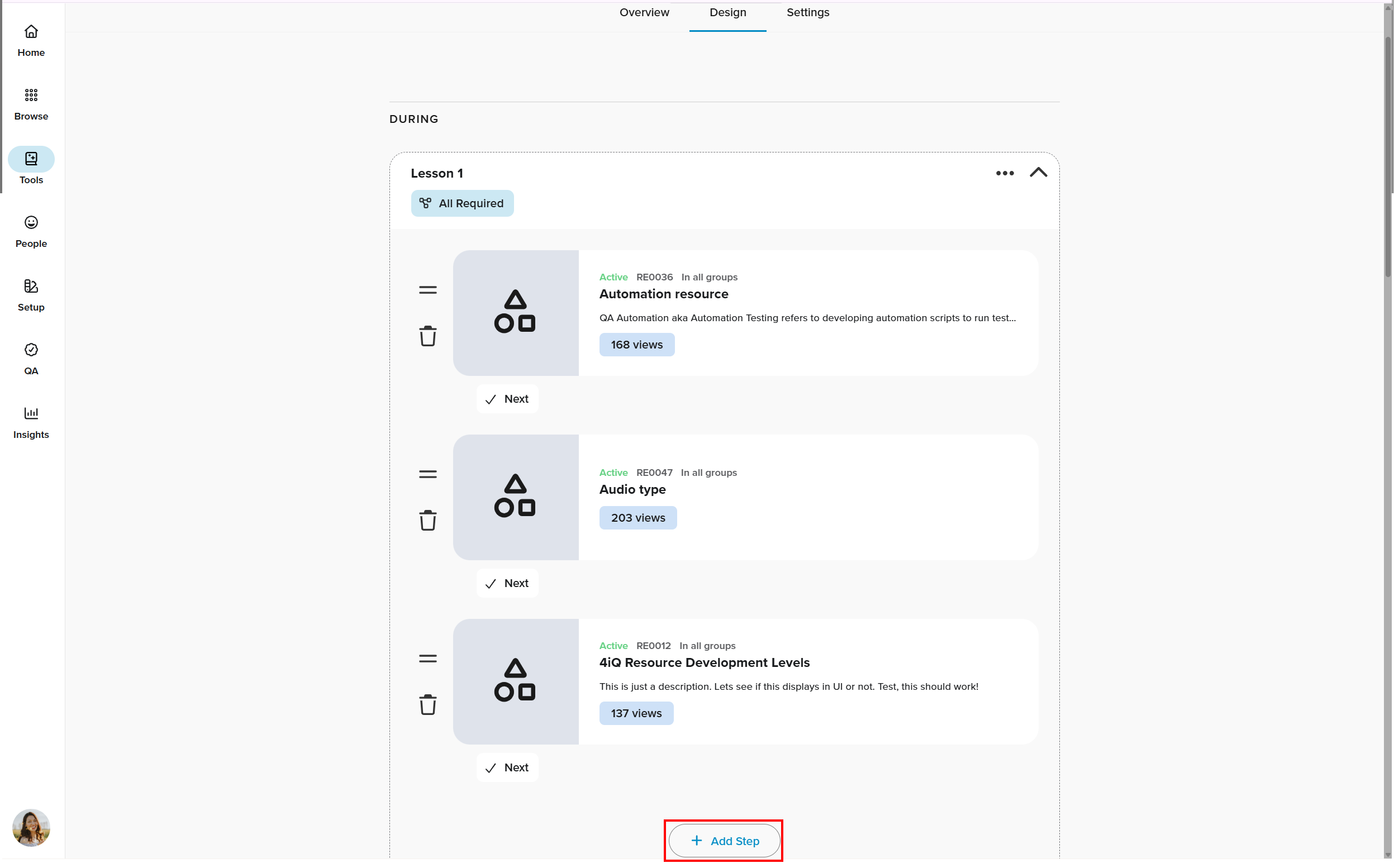
From the available step options, select Credential.

Select the credential you want to add as a required step and save the credential. The selected credential is now a child credential of the parent credential.
Related Features/Next Steps:
FAQ/Troubleshooting:
Q: Can a child credential have other credentials added to it?
A: No. Once a credential is designated as a child, it cannot have other credentials added. The credential option will not be available when adding steps.
Q: Can a parent credential be added as a step to another credential?
A: No. Parent credentials cannot be added as steps to other credentials. These items will appear as unavailable when selecting credentials.
Questions? Contact us!

Was this article helpful?
That’s Great!
Thank you for your feedback
Sorry! We couldn't be helpful
Thank you for your feedback
Feedback sent
We appreciate your effort and will try to fix the article